Secure Browser Upload
Upload processed datasets directly through a secure browser workspace — no specialist software required on your end.

Datasets are uploaded through a secure browser workspace with dataset management and version control, so every capture is organised in one centralised spatial repository instead of scattered across drives.
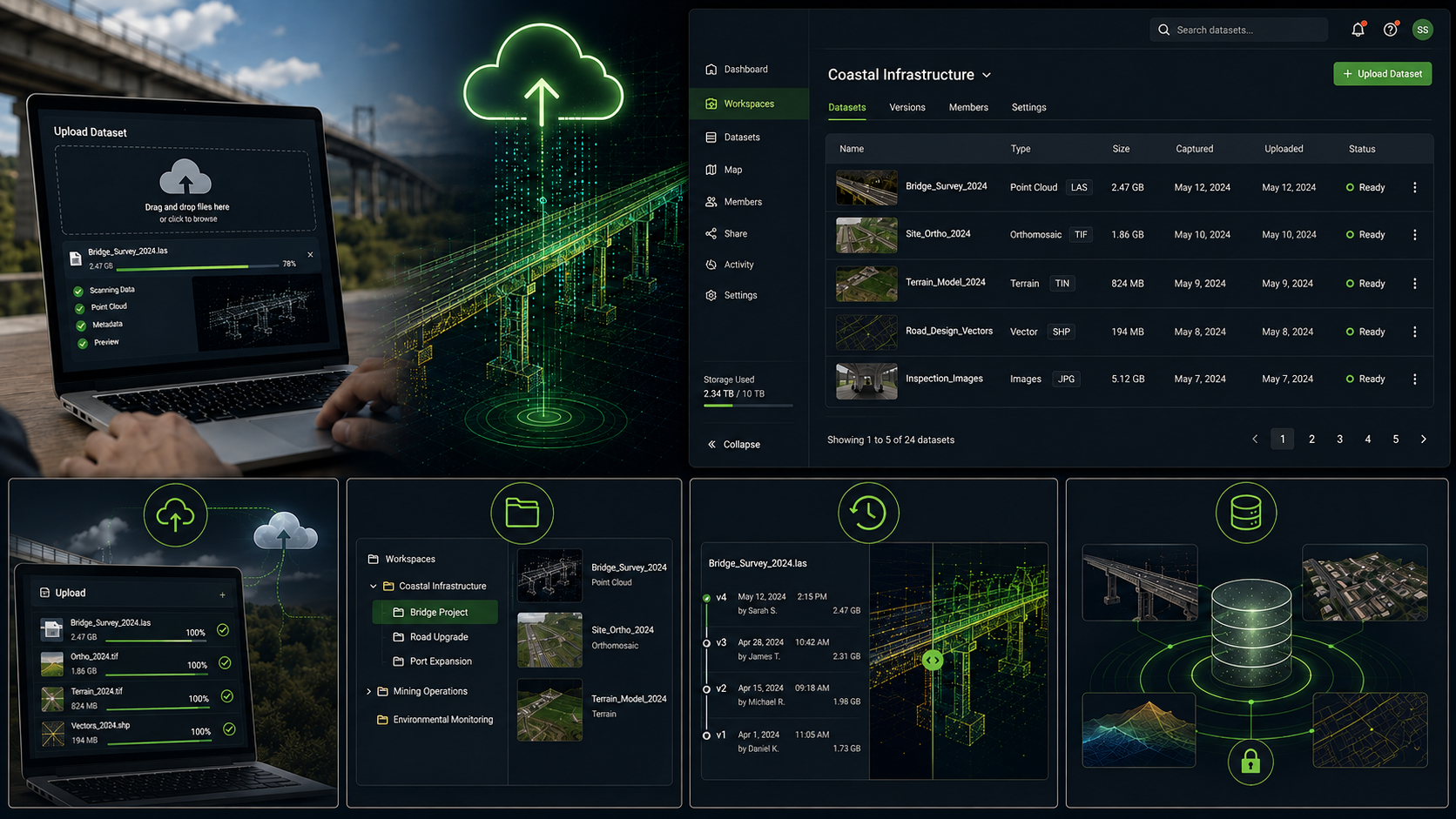
Every dataset lands in the same secure workspace, organised and ready for your team.
Upload processed datasets directly through a secure browser workspace — no specialist software required on your end.
Organise datasets into workspaces and projects, so every team can find the right capture, first time.
Track dataset versions as sites change over time, keeping a clear history of every capture.
One centralised spatial repository replaces scattered drives and inconsistent file-sharing across projects.
Uploaded datasets stay linked to their original capture and export deliverables for full traceability.
Once uploaded, your data is ready to visualise, analyse, and share with your team.
See the Full PipelineA closer look at the kind of captures that get uploaded to the workspace.



Common questions about how this step works.
Yes — datasets are uploaded through a secure browser workspace, with no specialist software required on your end.
Through workspace and dataset management, so datasets are organised by project and easy for the right team to find.
Version control keeps a clear history of every capture, so you can track how a site has changed across multiple uploads over time.
In one centralised spatial repository — replacing scattered drives and inconsistent file-sharing across projects.
Once uploaded, your data is ready to visualise, analyse, and collaborate on with your team.
Start with a free account, or talk to us about how your team's data would be organised.